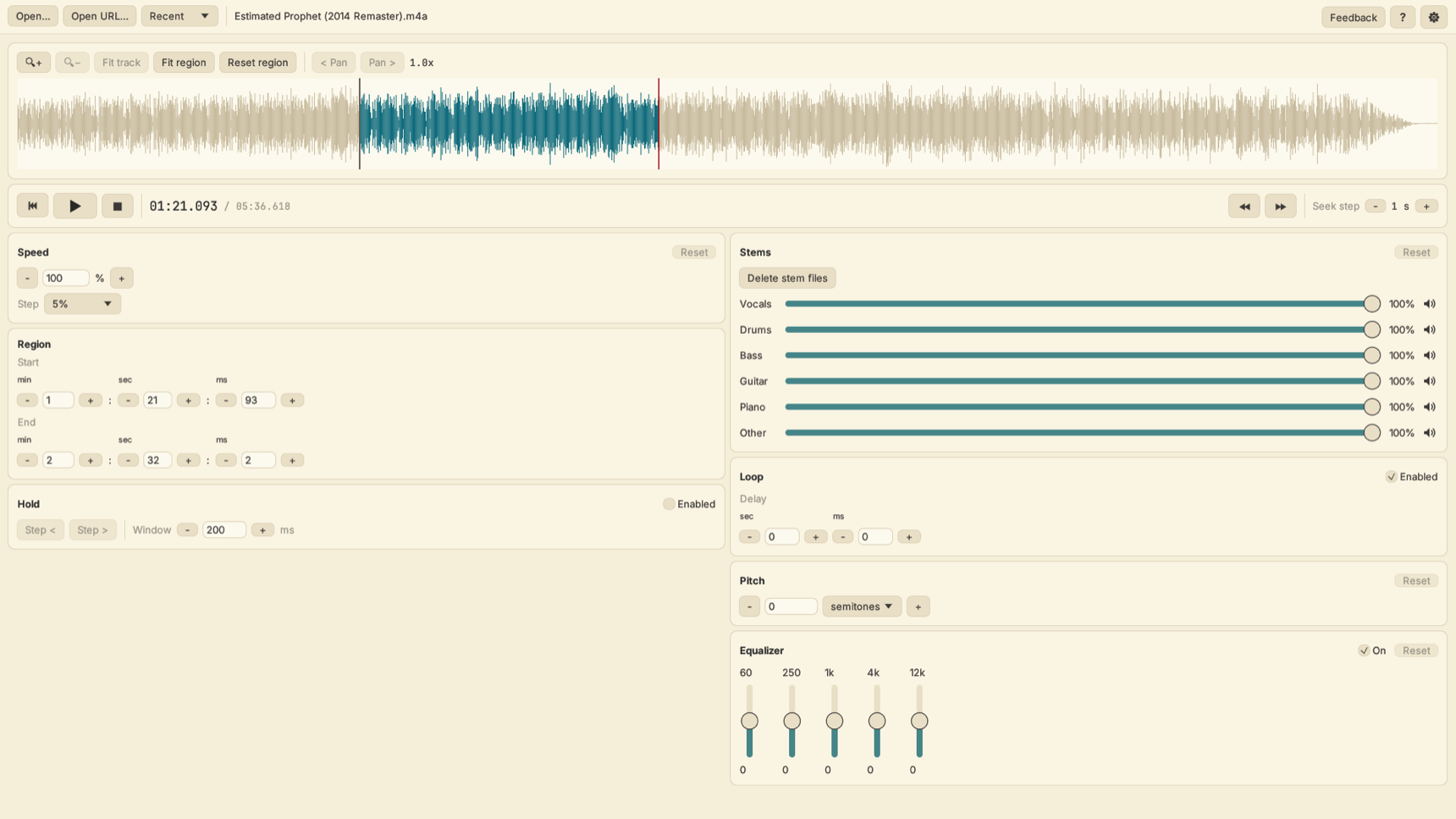
What is SlowItDown?
SlowItDown is a desktop app for Mac, Windows, and Linux that helps musicians transcribe songs, learn songs up to speed, and mute their instrument to jam along. It isolates or mutes any instrument, loops any section, slows music down without changing pitch, and imports songs from a file or a URL, all in one app.
How does SlowItDown compare to Amazing Slow Downer, Transcribe!, Anytune, and Moises?
SlowItDown puts a slow downer and an instrument separator in one app for less. Slow downer apps like Amazing Slow Downer, Transcribe!, and Anytune focus on changing speed and looping, and cost more up front. Moises separates instruments but needs a monthly subscription to unlock its full features. SlowItDown isolates instruments, loops any section, slows music down without changing pitch, and imports songs by file or URL for $19.95 once or $1.99 a month. See the full comparisons with Amazing Slow Downer, Transcribe!, Anytune, and Moises.
Why not just slow down the song on YouTube?
YouTube can play a video slower, but it cannot isolate or mute instruments, loop an exact section, change the key, or work with your own audio files. SlowItDown does all of that in one app, so you can hear just the part you are learning, repeat it until you have it, and then play along with the band.
Can I mute my instrument and play along with the song?
Yes. SlowItDown splits a song into six parts (vocals, drums, bass, guitar, piano, and other) and lets you mute any combination. Mute the guitar and play the part yourself with the real band behind you, or make up your own part on top.
Can I remove vocals or an instrument from a song?
Yes. SlowItDown splits any song into vocals, drums, bass, guitar, piano, and other, and lets you mute any of them. Remove the vocals to sing or play the melody yourself, remove any instrument to play that part with the band, or solo one instrument to hear it on its own.
How do I learn a song up to speed?
Loop the section you are working on, slow it down until you can play it cleanly, then raise the speed a little at a time until you are playing along with the original recording.
Can I use it to learn a specific riff or solo?
Yes. That is exactly what it is built for. Loop the riff or solo, slow it down until every note is clear, and play it back as many times as you need until it is locked in.
Does it transcribe the music for me?
No. SlowItDown is a tool that makes transcribing easier. You do the listening and writing. The app slows the music down, loops tricky sections, and isolates instruments so you can hear exactly what is being played.
Why should I transcribe music?
Beyond learning new songs, transcription is one of the best ear training exercises you can do. Working out music by ear trains you to recognize intervals, chord qualities, and rhythms, which makes you a better musician overall.
What instruments is SlowItDown good for?
Any instrument. Guitarists, bassists, pianists, drummers, singers, and horn players use SlowItDown to slow down recordings, loop tricky passages, and isolate parts while they learn songs and transcribe by ear.
How do I get songs into SlowItDown?
Open any audio file your computer can play, including MP3, AAC, FLAC, WAV, and AIFF. You can also paste a URL to load a song directly from the web.
Does SlowItDown work on Windows, Mac, and Linux?
Yes. SlowItDown runs on macOS 12 or later, Windows 10 or later (64-bit), and 64-bit Linux. It is a desktop app and does not run on phones or tablets.
Is there a free trial?
Yes. You get a 7-day free trial with every feature: 4 days to start, plus 3 more when you answer a short in-app survey. After that it costs $19.95 once or $1.99 a month, and each plan covers 2 devices.